
How to search for the biggest images
TUTORIALS

How to search for the biggest images

When you look for a bigger version of an image, use the reverse image search mechanism. You can also use this technology to find much more...

Have you ever been so amazed by some photo or piece of art that you wanted to have it on your wall or someplace in your house? What if this image was not in the right size to fit the space? It’s simple - you look for a bigger or smaller version of it on the Internet. But how do you do that effectively?

The technology that stands behind finding alternative versions of photos is called reverse image search. It can be used for different purposes but is most known for finding similar images. Now it’s time to get to know more about the best ways to find images of another size.

Why might larger images be useful?

Usually, bigger images are also pictures of a higher quality. This elementary, but very important fact, leads to the simple conclusion that larger images can be useful whenever you need to present the details of a picture. This refers to printed formats (like large-format ads, decorative wallpapers, etc.) as well as digital graphics because it should be possible to display them on modern high-quality screens (Full HD, QHD, 4K, 8K).

How to find the biggest images

As mentioned before, the mechanism used to find bigger versions of images is a reverse image search. There are a few search engines that allow searching by image. The biggest and the most popular is Google Images. If you would like to find larger images than you already have, you should visit the Google Images page: https://images.google.com/ and upload a photo to the search bar.
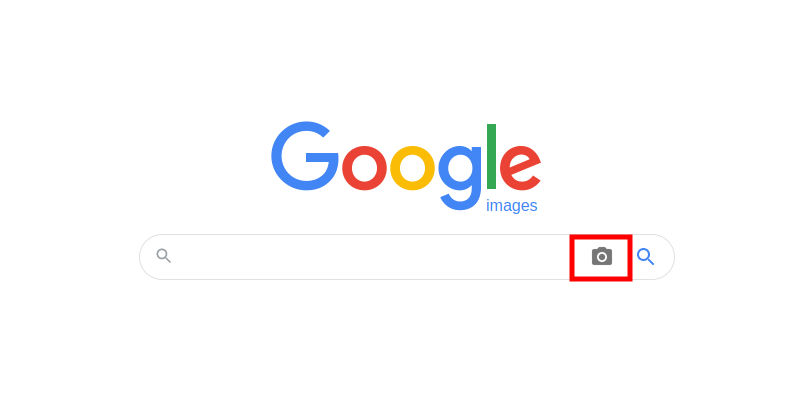
How to search using an image
The part of the result page that is most important to you is called “visually similar images”. When you click it, you are going to be redirected to a list of corresponding pictures. Now you can start looking for a bigger size of your image.
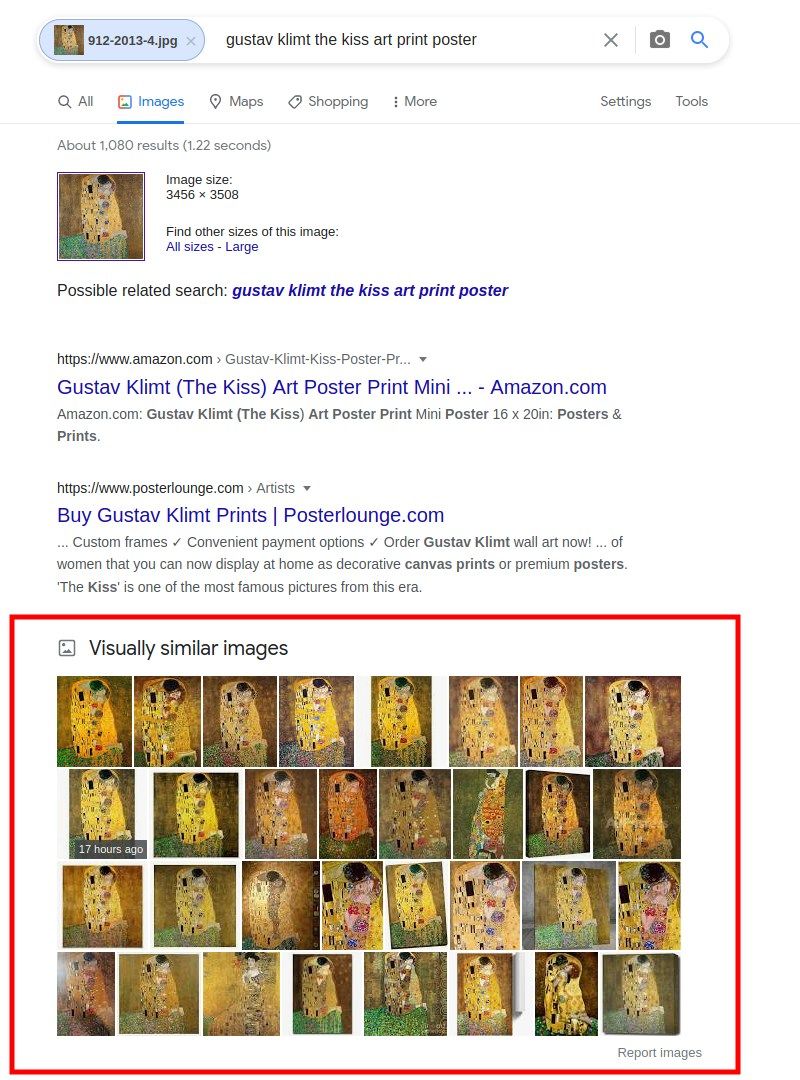
Found visually similar images
To search for larger images, you have to use the filters that are available under the “Tools” button. It is located just below the search bar, the last one on the right. By clicking on it, you open 5 filters, amongst which there is “Size” - the one you need in order to find bigger pictures. Click it and choose “Large”. This will filter the results and display only large images.
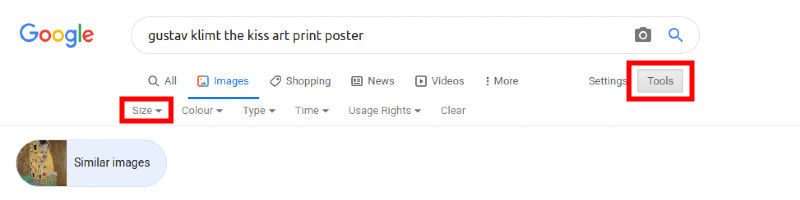
How to filter images by size
You can find information about the image’s size when you preview a particular picture and hover over it. The dimensions are displayed in the bottom left corner.
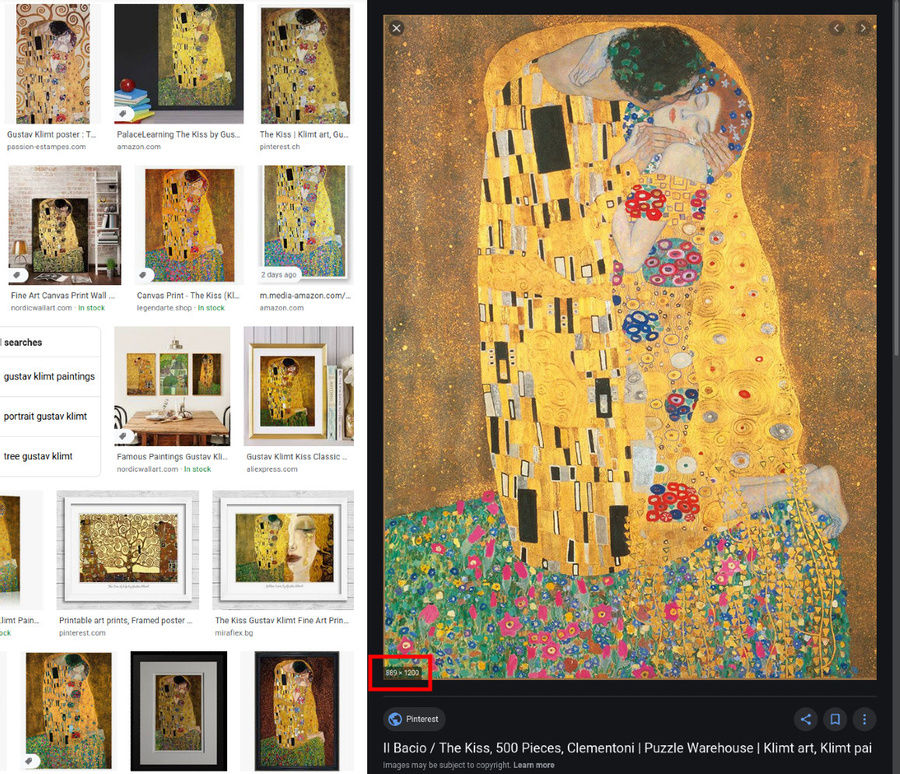
How to find out the size of an image on Google Images

A more detailed description of a reverse image search on PC is provided here in the article on our blog. If you want to search for bigger images using a mobile phone, please follow one of these instructions:

How to find different images of your face

Reverse image search technology can also be used to find photos of oneself (not only bigger or smaller versions of pictures). In this case, the search mechanism is focused on a given person’s face. This allows our facial recognition search engine to find different photos with the same person. The background of the photo or other people in it are not taken into account.

Check it yourself! Conduct a search

Find the article interesting? Share via:

More From Our Blog

DEFAULT

For Legal & Security Professionals - Advanced Investigative Infrastructure

Precision discovery for professional investigations Legal and security work runs on evidence, and increasingly that evidence is visual. Verifying an identity, tracing the origin of an image, connecting a photo to a person or place, uncovering fraud, or auditing a large volume of visual material - these are core tasks for lawyers, private investigators, and corporate security teams. PimEyes provides the infrastructure to do them at scale and with precision.

Read more

DEFAULT

Elite Reputation Management For Public Figures & PR

In reputation, timing is everything For a public figure, an image can define a moment before a single word is spoken. A photo taken out of context, a manipulated image, an unauthorised endorsement, or a fabricated deepfake can travel across the web in hours. The difference between a manageable situation and a full-blown crisis is almost always how early you knew. The traditional problem for public figures and their PR teams is that they find out last. By the time a damaging image reaches a client's inbox, it has usually already spread. Elite reputation management inverts that - it's about seeing new appearances of a client's image as they emerge, so the response can begin before the narrative sets.

Read more

DEFAULT

Master Your Digital Footprint

You have a digital footprint. It's bigger than you think. Most of us have spent years online - social profiles, tagged photos from friends, old accounts, event pages, forum posts, and images we don't even remember uploading. Every one of those leaves a trace. The result is a "digital footprint": the collection of images and information about you scattered across the public web, much of which you never put there yourself and can't easily see. The uncomfortable truth is that this footprint is far more visible to strangers than it is to you. Anyone can search; you're the only one who assumes it's all under control. PimEyes exists to flip that around - to let you see what's out there, so you can decide what to do about it.

Read more

PimEyes is a privacy-first online face search engine and reverse image search technology. We empower individuals to monitor their online presence, protect their digital identity, and audit copyright infringement with advanced facial search solutions.

© 2026 PimEyes. All rights reserved.